
Sauce Labs has emerged as a prominent player in the software testing domain, thanks to its comprehensive solutions that include cross-browser testing, mobile application testing, and live debugging sessions. However, while Sauce Labs offers a robust and flexible platform, there might be situations where an alternative solution more closely aligns with a team's unique needs, requirements, or financial constraints.
In this post, we’ll compare five Sauce Labs alternatives that have proven effective in 2024, carefully evaluating each platform’s features and benefits.
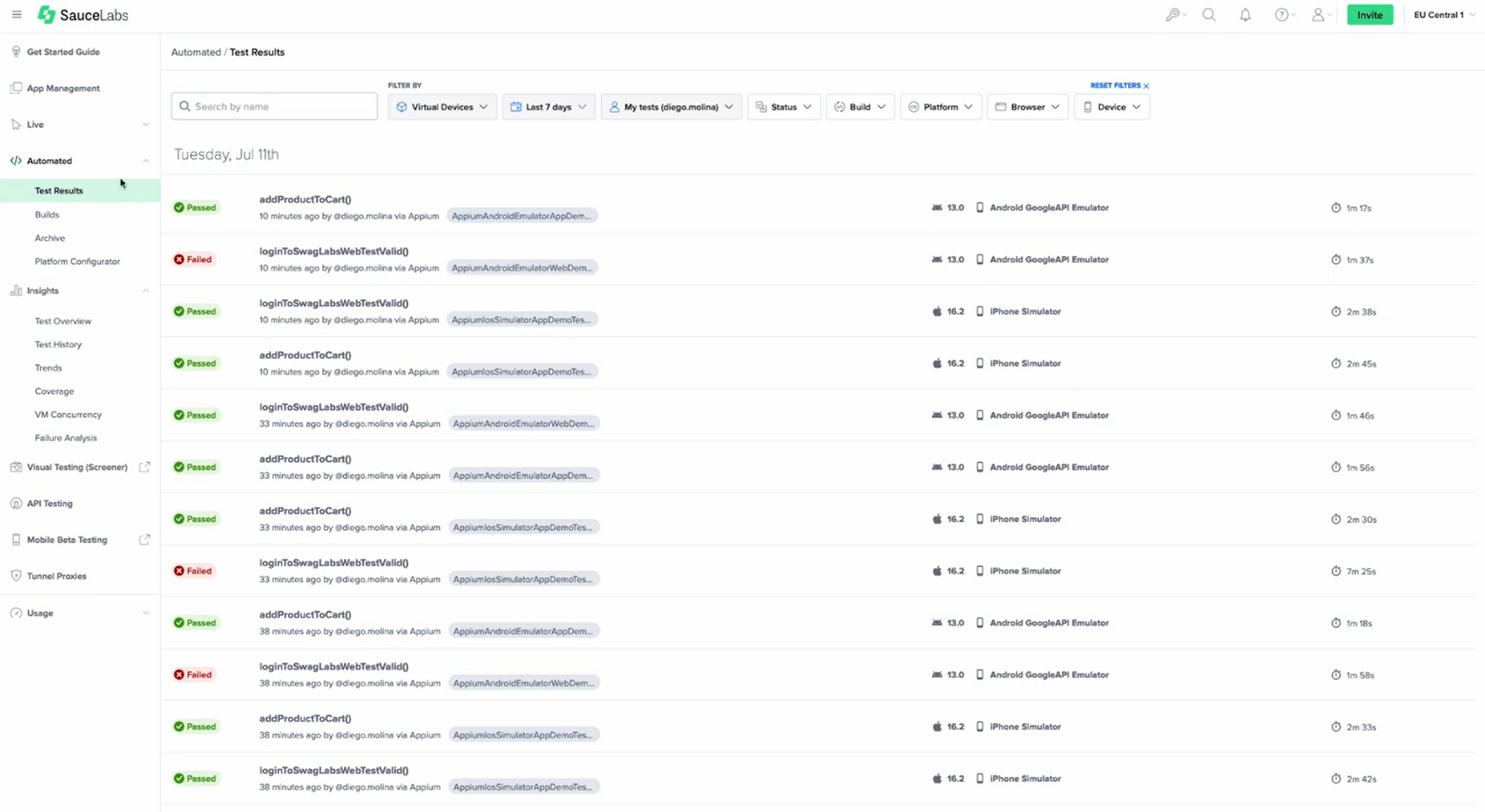
Sauce Labs specializes in automated testing of both desktop and mobile applications. The platform provides a comprehensive range of testing solutions that ensure compatibility and performance. Its key features include:
The platform's ability to record screenshots and videos of ongoing tests, along with its detailed logs, enhances the transparency of the testing process. Its cloud-based device testing and automation capabilities allow users to conduct tests on a wide array of operating systems, browsers, and devices, ensuring compatibility and performance across varied environments.
The platform's support for multiple browsers and versions, coupled with Sauce Labs’ commitment to including support for new browsers upon release, ensures that users can assess their applications on the latest platforms. Sauce Labs' scalability, enterprise-level security, comprehensive reporting, and machine learning–driven analytics make it a robust and versatile testing solution.
Despite its strengths, Sauce Labs has faced challenges in certain areas. Some users have reported intermittent outages that disrupt the testing process and cause delays. These outages may be attributed to factors such as server issues or maintenance, and addressing them would enhance user satisfaction.
Sauce Labs’ inconsistency in scaling virtual machines horizontally has also raised concerns. For some users, this makes the platform too costly and inefficient. A detailed analysis of Sauce Labs' pricing structure reveals that while it offers a variety of plans to suit different needs, some users may find the cost of specific features or scaling options to be high compared with other testing platforms.
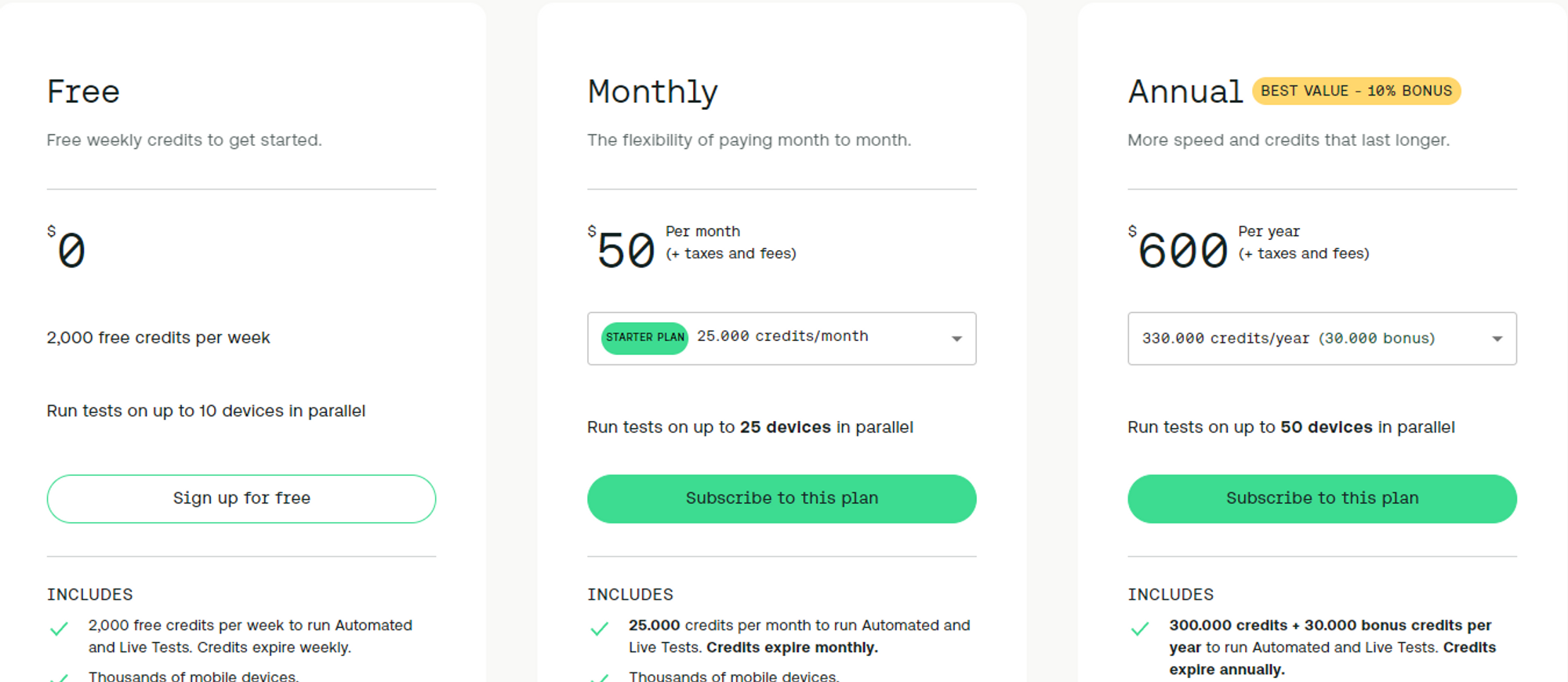
Sauce Labs offers various pricing models and plans tailored to different needs:
.table_component { overflow: auto; width: 100%; } .table_component table { border: 1px solid #dededf; height: 100%; width: 100%; table-layout: fixed; border-collapse: collapse; border-spacing: 1px; text-align: left; } .table_component caption { caption-side: top; text-align: left; } .table_component th { border: 1px solid #dededf; background-color: #eceff1; color: #000000; padding: 5px; } .table_component td { border: 1px solid #dededf; background-color: #ffffff; color: #000000; padding: 5px; }
| Feature | Free | Monthly (Starter Plan) | Annual | Enterprise |
|---|---|---|---|---|
| Thousands of mobile devices, emulators/simulators, and browser/OS combinations | ✓ | ✓ | ✓ | ✓ |
| Unlimited users | ✓ | ✓ | ✓ | ✓ |
| Auto-refill credits | ✓ | ✓ | ✓ | |
| Private device cloud | ✓ | |||
| Sauce Connect proxy local tunneling | ✓ | |||
| Single sign-on (SSO) | ✓ | |||
| Team management | ✓ | |||
| Premium support options | ✓ | |||
| Enterprise-grade security | ✓ | |||
| Price | $0 | $50 per month (+ taxes and fees) | $600 per year (+ taxes and fees) | Custom Pricing |
| Credits | 2,000 free credits per week | 25,000 credits/month | 330,000 credits/year (30,000 bonus) | Unlimited automated testing minutes |
| Concurrency | Run tests on up to 10 devices in parallel | Run tests on up to 25 devices in parallel | Run tests on up to 50 devices in parallel | Custom |
Different browsers interpret HTML, CSS, and JavaScript in different ways, and cross-browser testing helps you detect and mitigate these inconsistencies, so you can deliver a consistent user experience.
While manual testing involves human testers working across multiple browsers, automated cross-browser testing employs tools that execute test scenarios on several browsers simultaneously. Here's why automation is often preferred:
With cross-browser testing, your compatibility benchmarks, scenarios, timelines, and budget will help you determine which features to test. Here's an overview of typical features:
By adopting automation for cross-browser testing, organizations can provide a uniform user experience across various browsers and devices. Thoughtful feature selection ensures that testing is customized to meet the specific needs of the target audience.
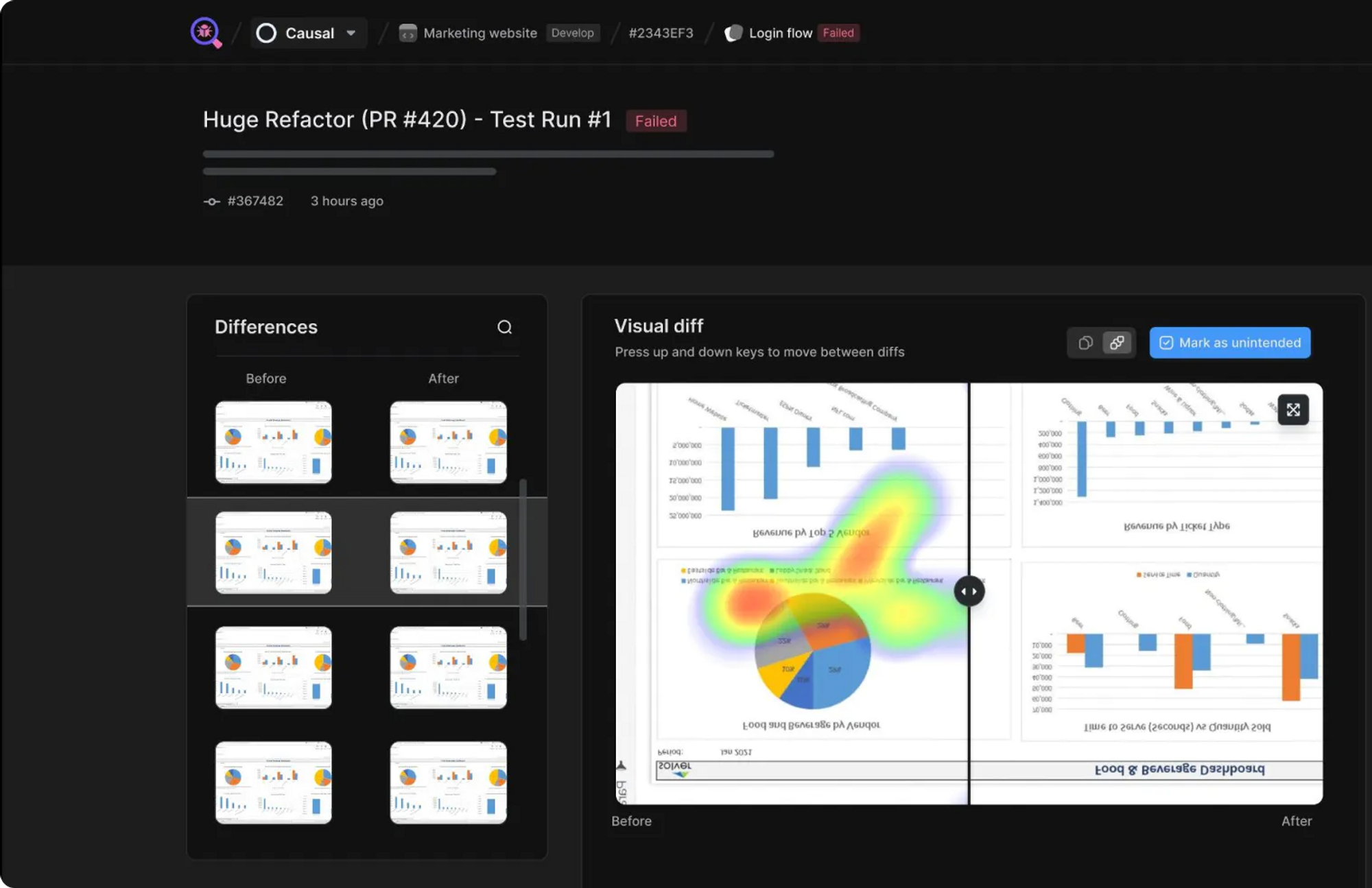
Meticulous presents a streamlined integration into your continuous integration (CI) pipeline with minimal setup, allowing you to record user sessions via a simple JavaScript snippet. The platform provides specific instructions for various frameworks, such as Next.js, and validates new changes via pull requests.
Meticulous takes great pride in its close-to-zero flake rate. It pinpoints UI bugs by replaying user traffic, thereby removing the need for traditional UI test writing — both scripted and no-code testing. Also, replaying real-world traffic allows you to catch bugs that traditional UI tests may miss. The automatic updates of baseline images and visual regression detection expedite the review process. The isolation of front-end code guarantees no side effects, eliminating the need for a staging environment in most cases.
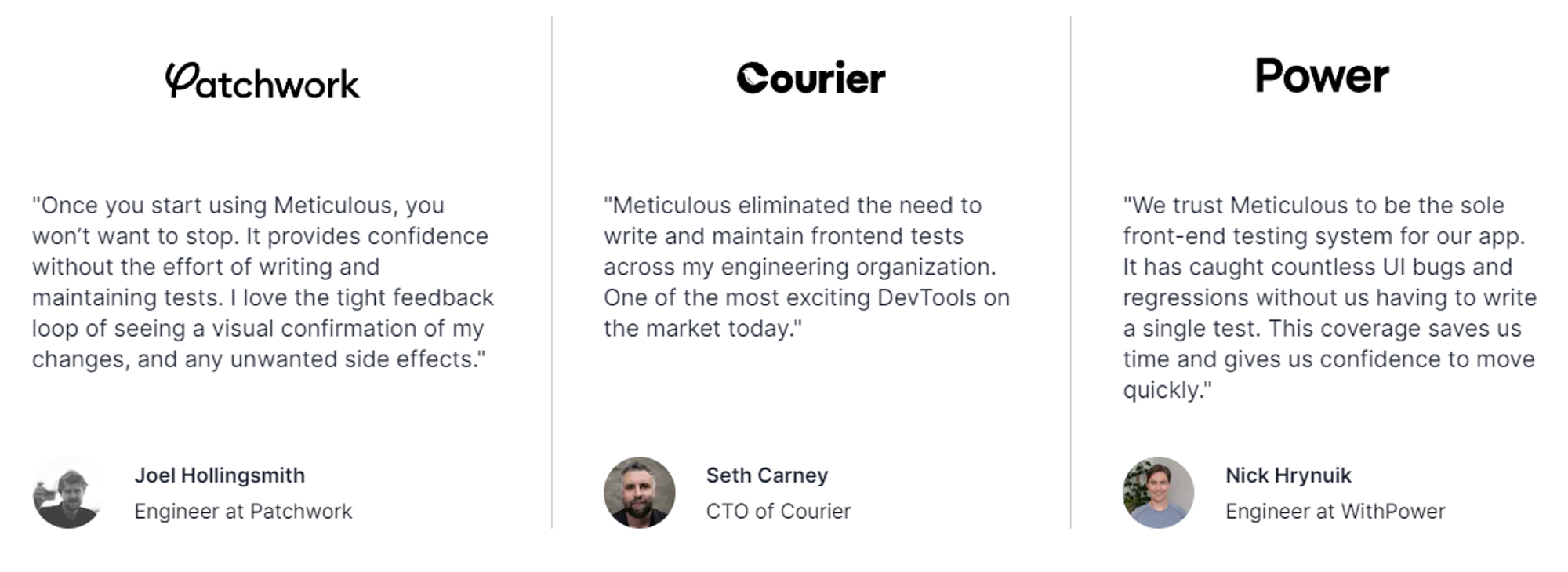
Meticulous' zero-maintenance approach has gotten great feedback from engineers and CTOs alike. As Joel Hollingsmith, an engineer at Patchwork, puts it, "Once you start using Meticulous, you won’t want to stop. It provides confidence without the labor of writing and maintaining tests." Seth Carney, CTO of Courier, underscores how Meticulous has "eliminated the need to write and maintain front-end tests across [his] engineering organization." These endorsements mirror the trust and assurance that Meticulous has instilled in its users, who have been able to detect innumerable UI bugs and regressions without authoring a single test.
Meticulous offers a free starter plan, meant for individual developers and small teams, that allows testing of 10 pull requests per month. For larger organizations, custom pricing is available, to suit various needs and budgets. Additionally, Meticulous is free with unlimited pull requests for any open-source project.
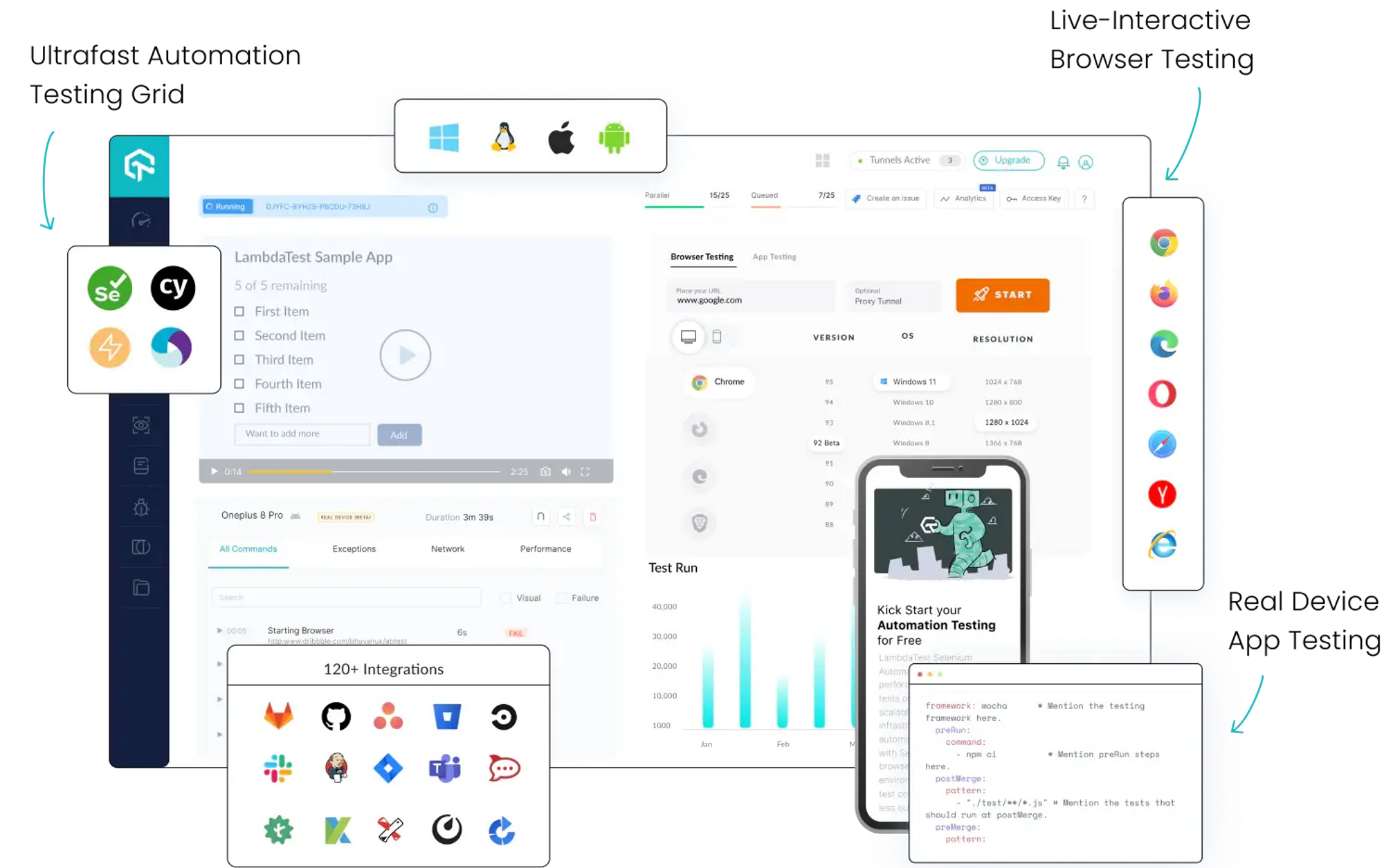
LambdaTest's exhaustive cross-browser testing capabilities, which encompass both manual and automated methodologies on a cloud-based infrastructure, distinguish it from numerous competitors. Its support for real mobile device testing and geolocation testing, coupled with its abundance of options for integration with various tools and frameworks, makes it a sensible choice.
Whether you’re an individual developer seeking core testing capabilities, a QA team pursuing collaboration and efficiency, or an enterprise in need of advanced features and security, LambdaTest offers a way to satisfy your precise requirements.
Real mobile device testing, a distinctive feature prominently showcased on LambdaTest's homepage, allows developers and QA testers to gain insights that go beyond visual appearance and probe deeper into the details of functionality, responsiveness, and performance across diverse devices, operating systems, and network conditions.
Real mobile device testing in LambdaTest supports:
For a complete overview of the different features being offered, please refer to the table below:
.table_component { overflow: auto; width: 100%; } .table_component table { border: 1px solid #dededf; height: 100%; width: 100%; table-layout: fixed; border-collapse: collapse; border-spacing: 1px; text-align: left; } .table_component caption { caption-side: top; text-align: left; } .table_component th { border: 1px solid #dededf; background-color: #eceff1; color: #000000; padding: 5px; } .table_component td { border: 1px solid #dededf; background-color: #ffffff; color: #000000; padding: 5px; }
| Features/Plans | Free Plan | Live Plan | Real Device Plan | Enterprise Plan |
|---|---|---|---|---|
| Price | $0 | $15/month | $25/month | Custom |
| Parallel Tests | 1 | 1-25 | 1-25 | 25+ |
| Live Real Time Testing | ✓ | ✓ | ✓ | ✓ |
| 200+ Desktop Browsers | ✓ | ✓ | ✓ | ✓ |
| Screenshot Tests per month | 10 | Unlimited | Unlimited | Unlimited |
| Responsive Test per month | 10 | Unlimited | Unlimited | Unlimited |
| Native App Testing on Emulators/Simulators | 3 | ✓ | ✓ | ✓ |
| Real Mobile Devices | ✓ | ✓ | ||
| Geolocation Testing | ✓ | ✓ | ✓ | |
| Web and Mobile Debugging Tools | ✓ | ✓ | ✓ | |
| Integrate with JIRA, Asana, Slack | ✓ | ✓ | ✓ | |
| App Uploads | ✓ | ✓ | ||
| Network Throttling | ✓ | ✓ | ||
| GPS Based Geolocation Testing | ✓ | ✓ | ||
| Smart UI Inspector | ✓ | ✓ | ||
| Camera Image Injection | ✓ | ✓ | ||
| Biometrics Authentication Support | ✓ | ✓ | ||
| Multiple Locale Support | ✓ | ✓ | ||
| Premium Support Options | ✓ | |||
| Advanced Access Controls | ✓ | |||
| Single Sign-On | ✓ | |||
| IP Whitelisting | ✓ | |||
| Advanced Data Retention Rules | ✓ | |||
| Dedicated Device Cloud | ✓ | |||
| Advanced Local Testing | ✓ | |||
| Usage Analytics | ✓ | |||
| Early Access to Beta Features | ✓ | |||
| Unlimited Users | ✓ | |||
| Enterprise-Grade Security | ✓ | |||
| Apple Pay Testing | ✓ | |||
| AI-Powered Test Intelligence/Test Analytics | ✓ |
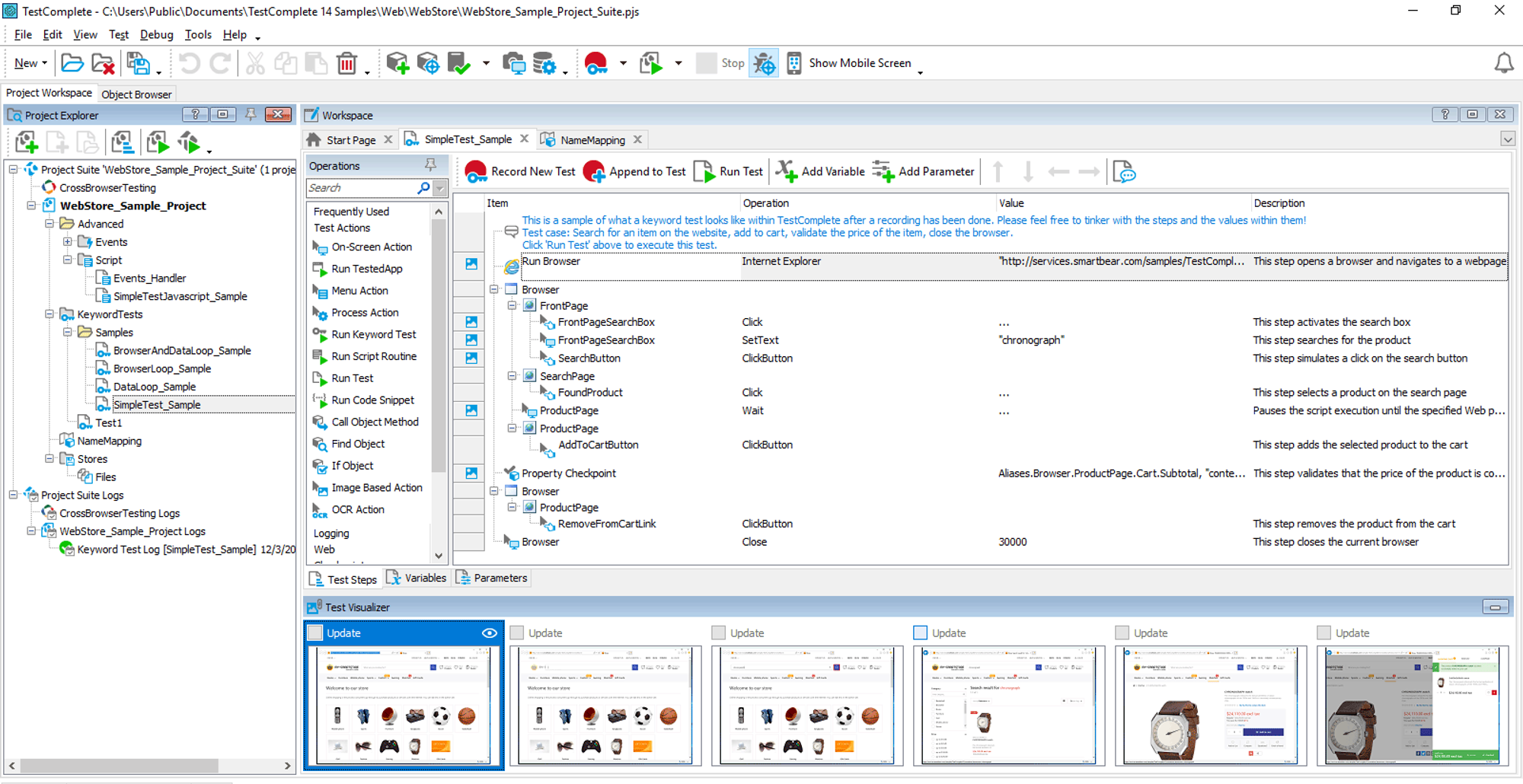
TestComplete goes beyond the traditional testing tool paradigm; it’s a comprehensive platform that integrates into your software development lifecycle. From test creation to execution and subsequent analysis, TestComplete’s extensive array of features caters to diverse stages of testing.
TestComplete’s automated UI testing capabilities encompass desktop, web, and mobile applications, ensuring exhaustive coverage. With both scriptless “record and replay” capabilities and scripted testing, TestComplete is tailored to testers across the spectrum of skill levels. Integration with tools like Selenium and Appium amplifies the creation of functional tests.
Keyword-driven testing ensures that every team member, irrespective of programming knowledge, can contribute to test automation. Concurrently, data-driven testing permits users to execute automated UI tests with varied sets of input data, augmenting test coverage and simplifying maintenance.
TestComplete's execution features are meticulously designed to be both robust and scalable. Parallel testing facilitates execution across multiple physical and virtual machines, while integration with Azure DevOps and Jenkins assures dependable building, testing, and deployment of software.
Cross-platform testing guarantees that UI tests can be automated for desktop, web, and mobile applications. The tool's AI-driven engine identifies dynamic UI elements, ensuring that tests remain resilient even when the UI undergoes changes. Integration with BitBar supports testing on diverse platforms and browser configurations, further enhancing the tool's adaptability.
Managing and analyzing tests with TestComplete is effortless. Users can obtain real-time information on the progress and status of their tests from a unified interface. Integration with common defect tracking tools like Jira and Bugzilla refines the defect management process, facilitating tracking and resolution of issues.
Continuous testing for DevOps is endorsed through seamless integration with the DevOps ecosystem, while automated test reuse across disparate projects and environments broadens test coverage and conserves time. Integration with Git and Atlassian Bitbucket for version control amplifies the reusability of tests, rendering TestComplete an invaluable asset in any testing environment.
TestComplete offers pricing plans for diverse needs and budgets:
Add-ons like TestExecute and Intelligent Quality add features such as unlimited testing across parallel devices and AI-powered object recognition.
TestComplete distinguishes itself with its comprehensive automated UI testing capabilities across desktop, web, and mobile platforms. Its extensive range of integrations ensures that it integrates seamlessly into most development ecosystems, so it’s a versatile tool for testers of all skill levels. Whether you’re seeking to create, execute, manage, or analyze tests, TestComplete offers a robust and scalable solution meticulously tailored to your needs.
In the dynamic and rapidly evolving domain of software development, Perfecto is a solution for high-velocity web and mobile testing. Leveraging cloud-based solutions, Perfecto ensures that teams can operate with agility and efficiency, and that they can quickly adapt to the fast-changing landscape of contemporary technology.
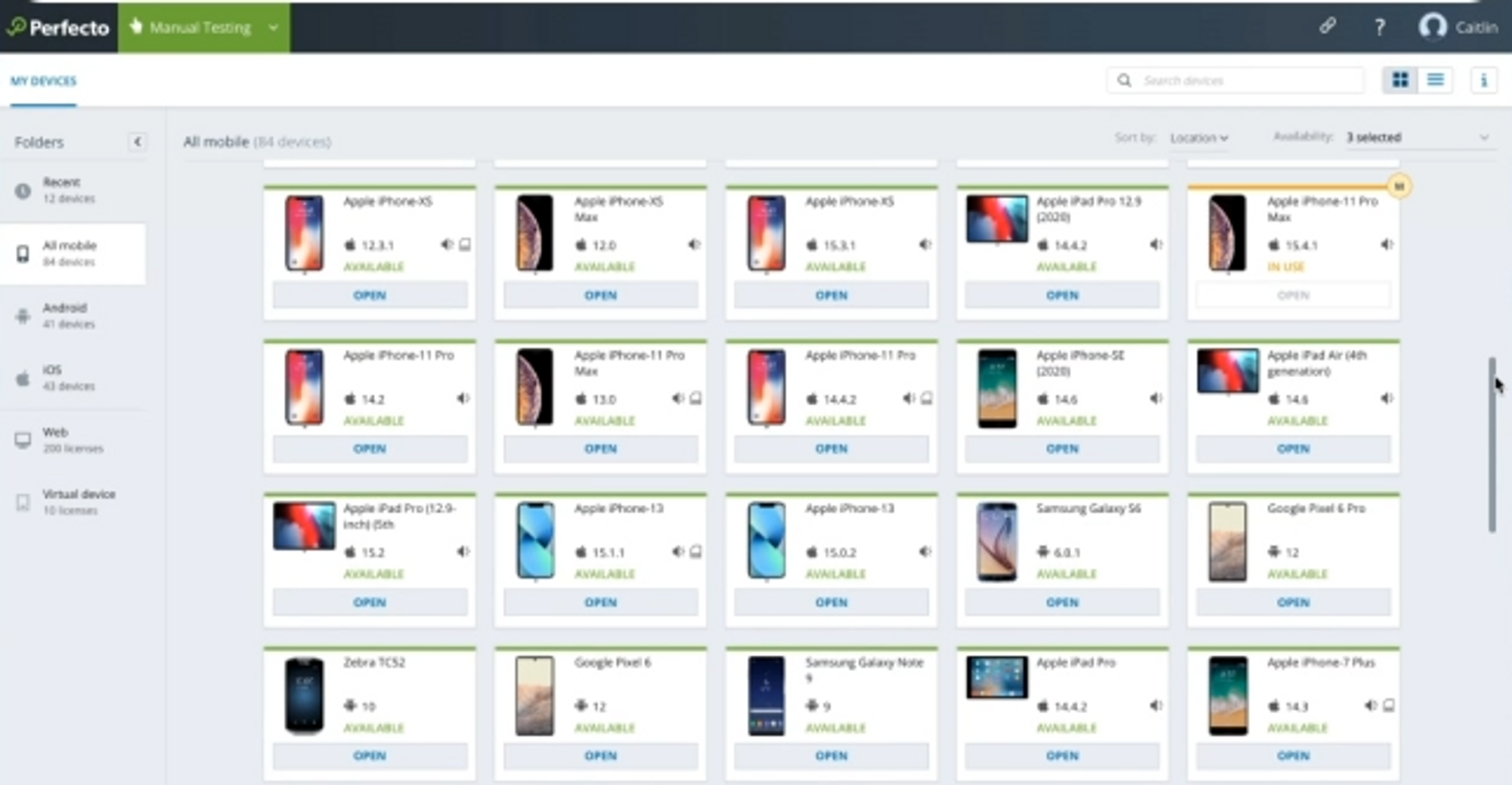
The appeal of Perfecto starts with its mobile device cloud, a streamlined cloud-based solution for testing on authentic mobile devices.
Perfecto's features should meet the needs of contemporary testing teams. Test failure analysis and reporting accelerate issue detection through automated scanning supported by machine learning, and Perfecto’s large knowledge base empowers teams to precisely address those issues. The real user simulation and remote access and debugging features foster a lifelike environment for more accurate testing, bridging the gap between development and tangible user experience.
Perfecto's pricing plans are carefully crafted to suit a broad range of testing requirements:
Each plan reflects Perfecto's commitment to providing value across all levels.
Beyond its robust testing platform, Perfecto provides a professional services team. From quick-start onboarding to automation acceleration, these services are designed to hasten time to value, boost productivity, and ensure success from the outset. Whether you’re new to testing or looking to refine your existing processes, Perfecto's consulting services serve as an invaluable ally.
BrowserStack was designed to provide flawless app and browser testing experiences. The platform’s emphasis on genuine devices and browsers ensures accurate results and eliminates dependence on unreliable emulators and simulators.
Getting started with BrowserStack involves exploring manual cross-browser testing through its Live feature, which allows users to examine websites across various browsers, guaranteeing compatibility and functionality. For users more interested in automation, the Automate feature conducts automated tests across a multitude of browsers.
With its Percy feature, BrowserStack offers visual testing and review; it meticulously inspects every pixel to confirm that visuals align with the planned design.
The complexity of the mobile domain requires a sophisticated approach, and BrowserStack rises to the challenge with App Live and App Automate. The former facilitates manual testing on real devices, while the latter introduces automation to physical devices. These complementary strategies guarantee that mobile applications undergo testing under conditions that mirror true user experiences.
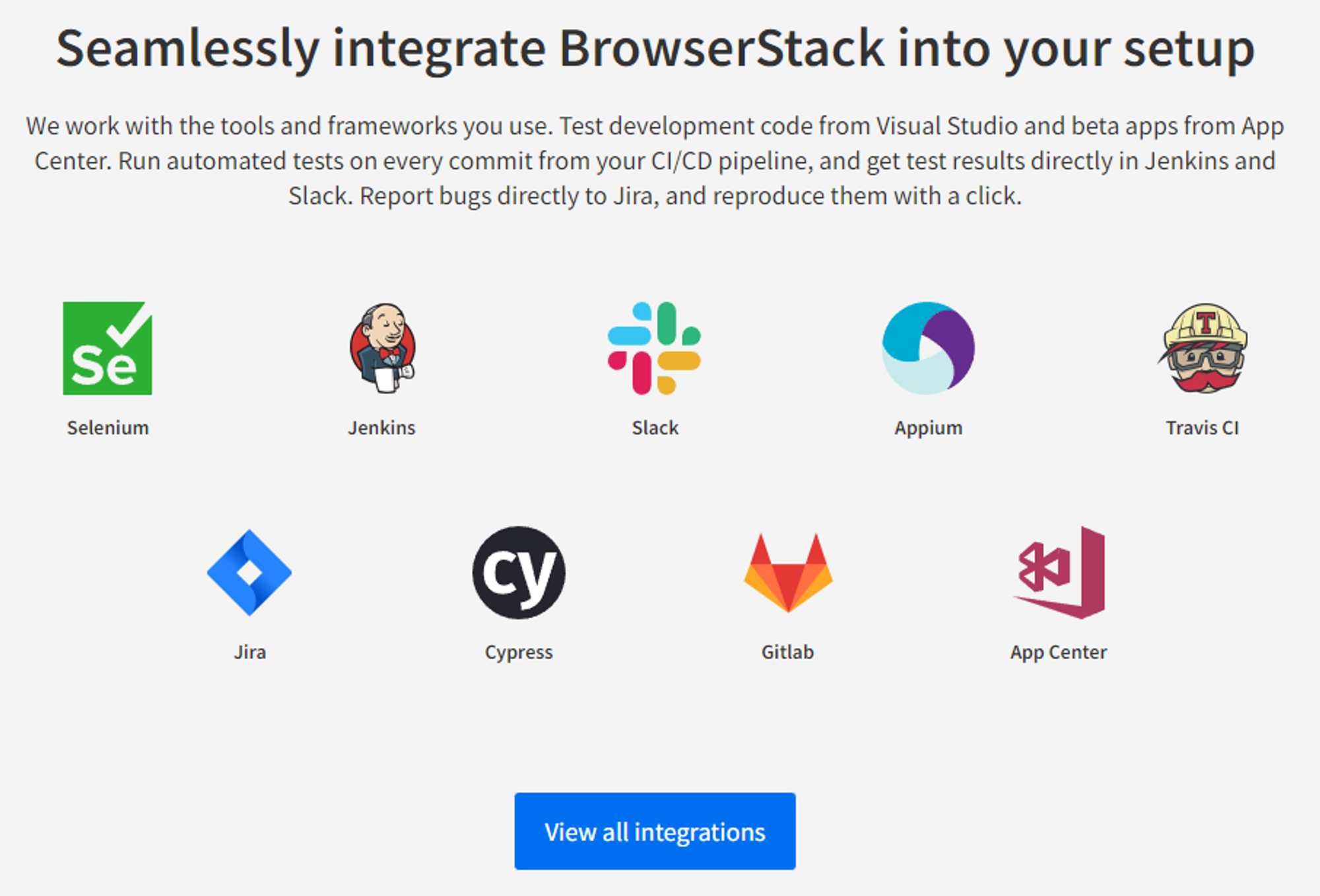
BrowserStack's capabilities extend beyond individual features; it serves as a hub that integrates seamlessly with renowned tools and platforms, not only ensuring a smooth blend with existing workflows but also fostering collaboration and efficiency across teams.
BrowserStack's integration with Selenium allows for automated browser testing. BrowsterStack does not generate Selenium tests for you, but it does provide a platform where you can run your Selenium tests on multiple browsers and operating systems. This ensures that your web application works consistently across different environments.
If you’re using Jenkins for continuous integration, BrowserStack offers a plugin that enables you to run your automated tests as part of your build process. This ensures that any code changes are immediately tested, so detecting and fixing issues takes less time.
BrowserStack can send real-time notifications to Slack channels, keeping your team updated about test statuses. This fosters quick communication and immediate action in case of test failures or other issues.
BrowserStack integrates with Appium to offer automated native and hybrid mobile app testing. As with the way BrowserStack and Selenium work together, you write your Appium tests and then run them on BrowserStack's real device cloud.
BrowserStack also offers integration with many other tools — such as JIRA for bug tracking and GitHub for code repository — making it a versatile choice for modern DevOps environments.
In summary, BrowserStack's integrations do not automatically generate tests for you, but it is a robust platform where your tests can be executed across a diverse range of environments. These integrations are designed to enhance workflows, encourage collaboration, and elevate the quality of the end product.
BrowserStack outlines a range of pricing plans, carefully tailored to various needs and stages of the testing journey:
Enterprise and custom pricing options are also available, reflecting a flexible approach to accommodate diverse budgets and requirements.
It should be noted that while many customers are happy with BrowserStack’s product overall, experiencing lag at times when spinning up a new device is common, as is experiencing high latency once the device is up and running.
Choosing a testing tool should not be a quick decision — your choice signifies a long-term commitment. The tool must align with the long-term vision for a project, enabling growth and scaling as needed. Choosing a tool that fits perfectly today but fails tomorrow is shortsighted. The ability to look beyond immediate needs and align the tool with future growth is a hallmark of strategic planning.
The right tool is more than just software; it’s a strategic partner. It aligns with the vision, evolves with the project, and adapts to a constantly changing landscape of business requirements. This decision requires insight, foresight, and a thorough understanding of the project's direction.
Meticulous creates and maintains an exhaustive suite of e2e ui tests with zero developer effort.
This quote from the CTO of Traba sums the product up best: "Meticulous has fundamentally changed the way we approach frontend testing in our web applications, fully eliminating the need to write any frontend tests. The software gives us confidence that every change will be completely regression tested, allowing us to ship more quickly with significantly fewer bugs in our code. The platform is easy to use and reduces the barrier to entry for backend-focused devs to contribute to our frontend codebase."
This post from our CTO (formerly lead of Palantir's main engineering group) sets out the context of why exhaustive testing can double engineering velocity. Learn more about the product here.

Meticulous creates and maintains an exhaustive suite of end-to-end UI tests with zero developer effort. Learn more here.


